Loading…

Ayuda / Crear una cuenta

1 - There are several ways to create your account :

No matter where you are on the site, when you hover over “My Account” in the top-right corner of the screen, a pop-up will appear that you can click on:
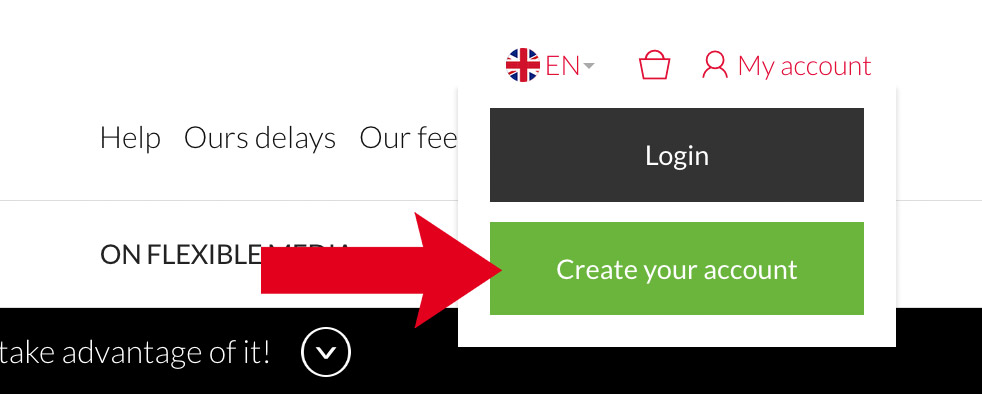
  • If you’re already a customer: click “Log In"
  • If you’d like to become a customer: click “Create Your Account”
Create an Account

You've already started setting up your account, your shopping cart is ready, but you're not yet a customer :
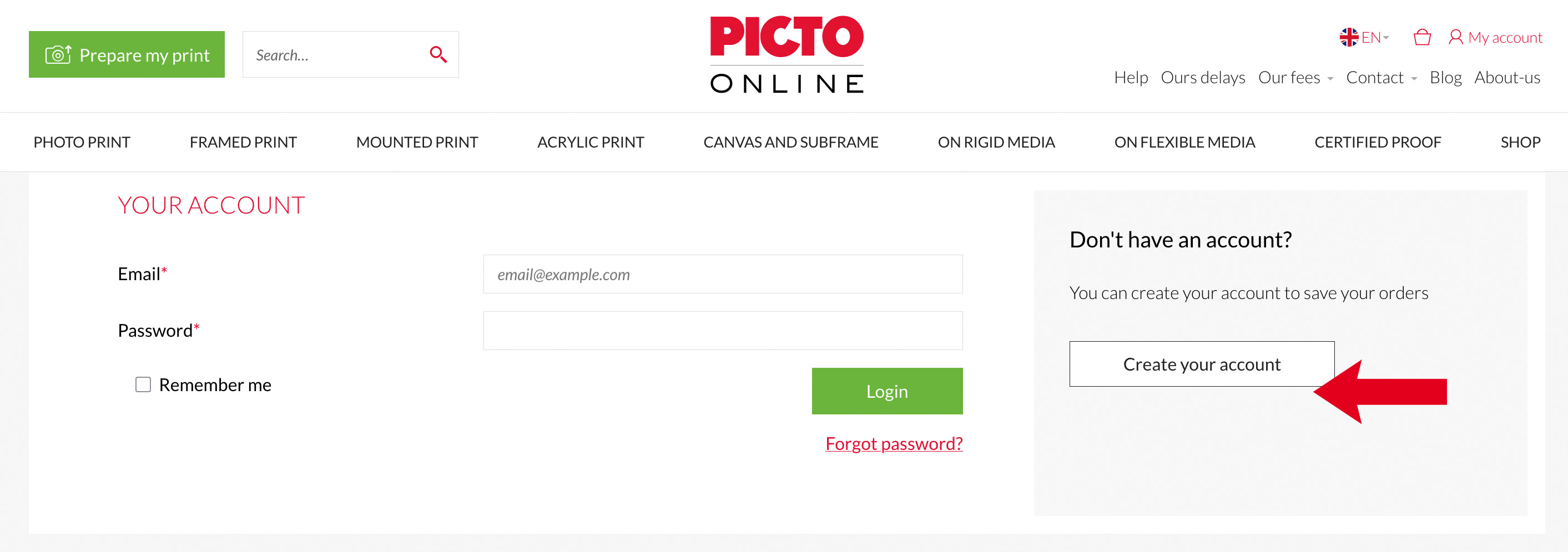
  • When you click “Continue Checkout,” the login page will open; click “Create an Account.”
setting up your account

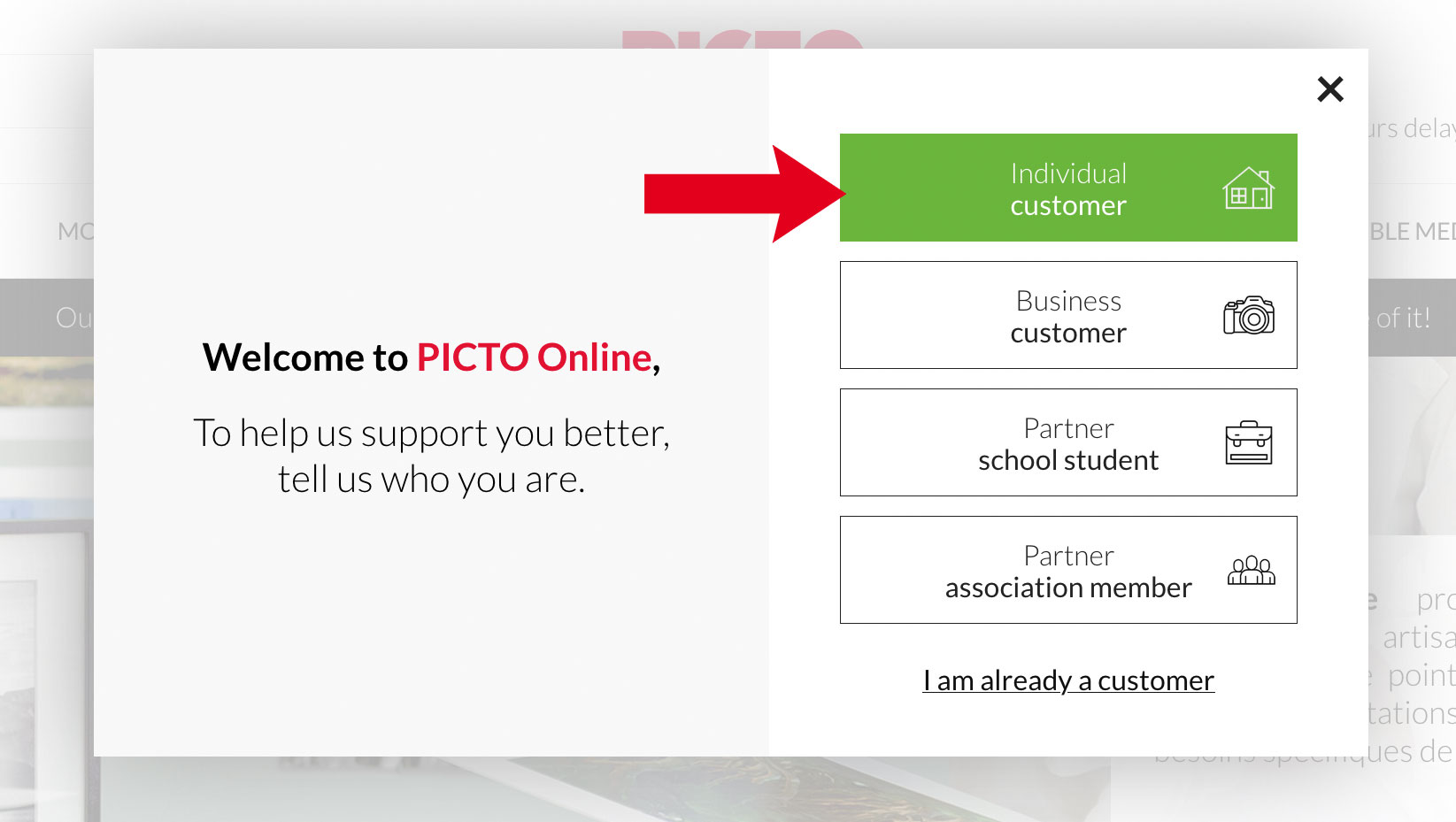
2 – Select the profile that best suits you :

  • « Individual » : You wish to place your order for personal use
  • « Professional » : You wish to place your order for professional purposes (photographer, agency, etc.) and maintain accounting records.
  • « School Partner » : You are a student or a member of the teaching staff at one of our partner schools
  • « Association Partner » : You are a member of one of our partner associations
select the profile

3 – Follow the steps provided :

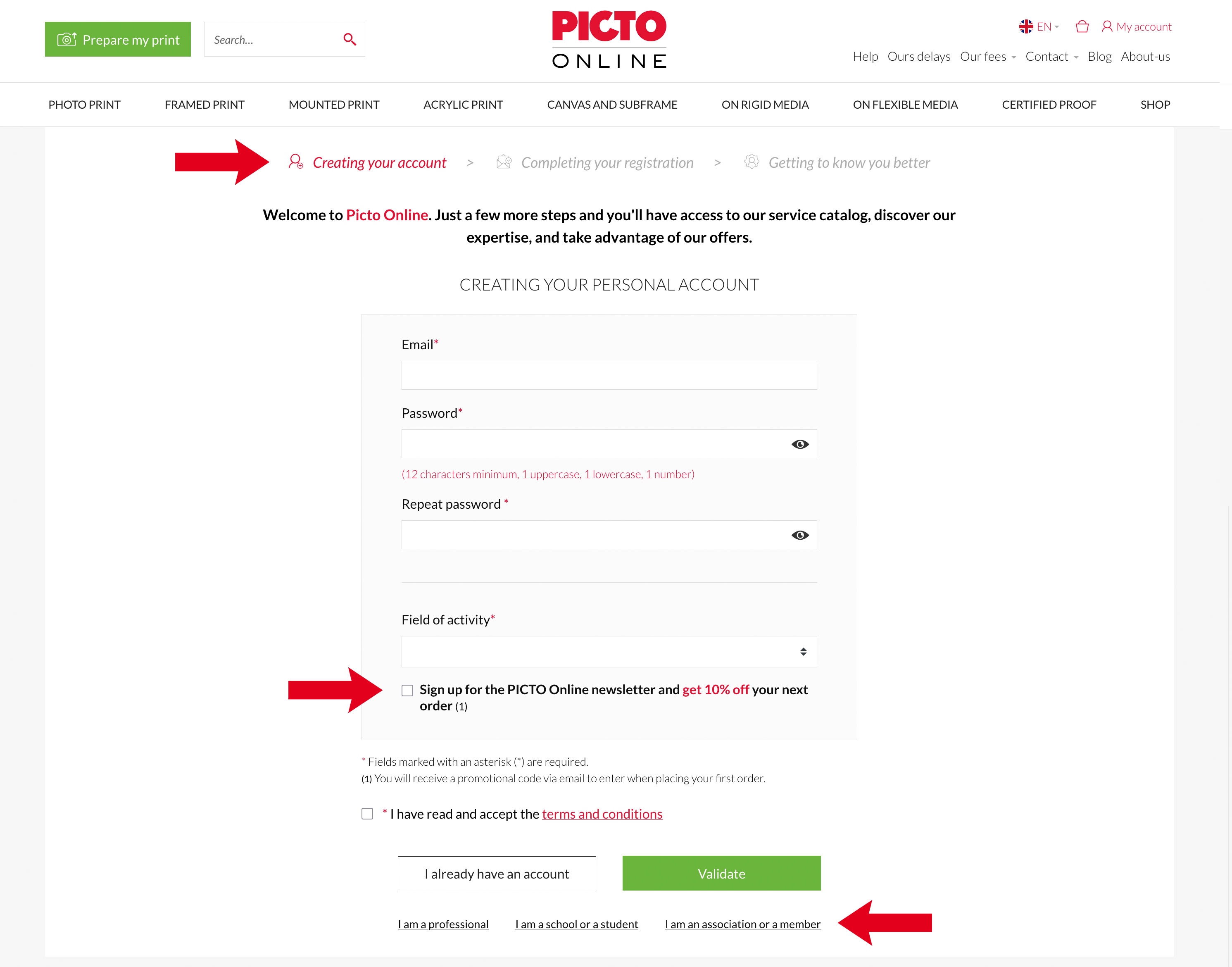
  • Thanks to the “breadcrumb trail,” you can see which step of the registration process you're on and what steps are coming up: creation, finalization, or “Get to Know You Better.”

    Don't worry, if you miss a step or need to leave our site suddenly, we'll give you the option to complete your registration when you place your first order. You can easily convert your personal account to a business account from your customer portal under the “My Account” tab.
  • You can sign up for the Picto Online newsletter and get 10% off your first order.
  • Finally, if you’d like to change your registration profile, simply click on the one you’re interested in at the bottom of the page to access the new form.
Follow the steps provided

4 - Activate Your Account :

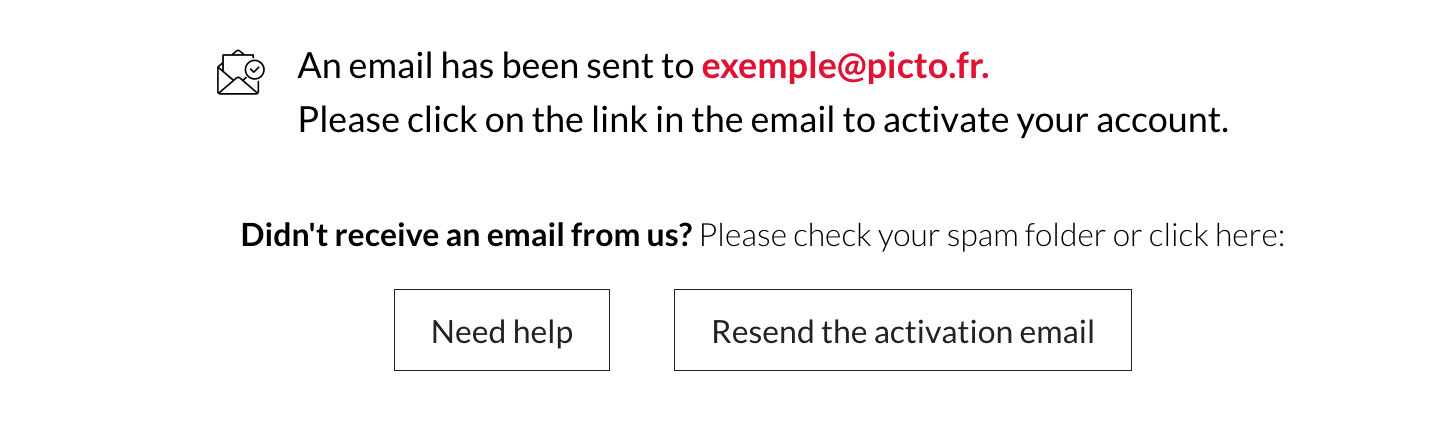
Once the form has been submitted, your PICTO Online account has been created, but you must activate it:

  • An email will be sent to the email address you provided in the form.
  • Click the activation link in the email you received

This process allows us to verify that your email address is valid.

However, if you have not received the activation email within one hour of submitting the form:

  • Check the spam or promotions folder in your email account (“Promotions” in Gmail for example).
  • If you still haven't received anything: On the confirmation screen, you can verify your email address and click “Resend the activation email.”
  • You can also ask us to activate your account using the contact form.
Why is it important to activate my account ?

Activating your account allows you to :

  • Place orders
  • Access your personal customer account and change your settings there
  • Manage your past or pending orders
  • View your invoice

Once your account is activated, an email requesting assignment to your account manager will be sent; this approval is required to receive your personalized discount.
Activate Your Account

5 – Complete your registration :

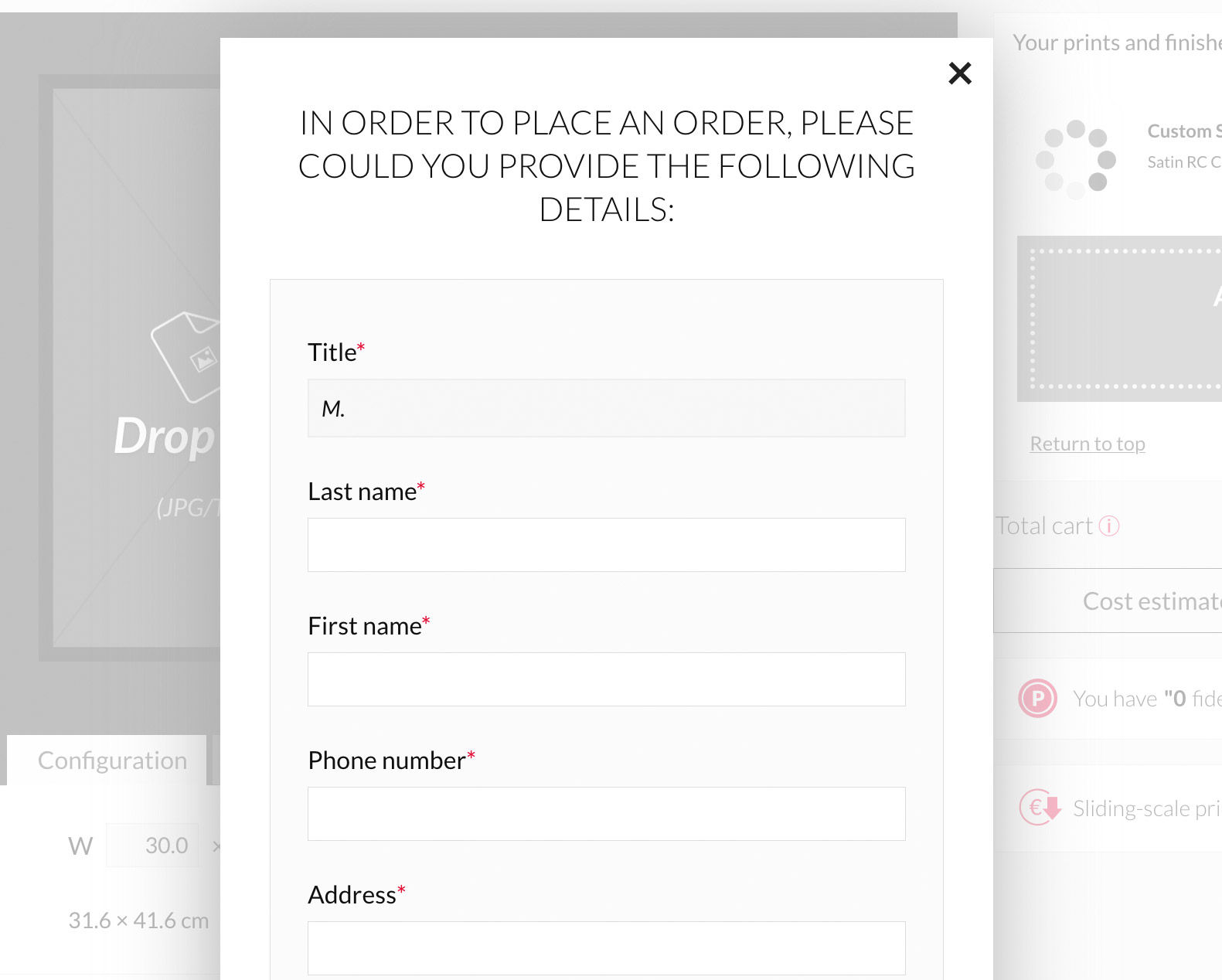
If the information you previously provided is incomplete, we will ask you to complete your registration when you place your first order.

Complete your registration